Assigning Access Privilege for creating a T-Log without an Individual
For creating program-based T-Logs (t-log without an individual), a user assigned with the Provider Setup administrative role has to enable the Allow creating a T-Log without an individual on the agency’s ‘Provider Preference’ page.
Once the option has been enabled, users assigned with the T-Log Program Access administrative role can create program based T-Logs for programs where an individual from their caseloads is currently enrolled. Users with the T-Log View caseload-based role and T-Log Program Access administrative role are able to search and view a program based T-Log if they have at least one individual in their caseloads who is currently or was previously enrolled in the program for which the program based T-Log was created..
Enable Allow Creating a T-Log Without an Individual from Provider>Preference
1. Click on the Preferences link next to the Provider option from the Admin tab.
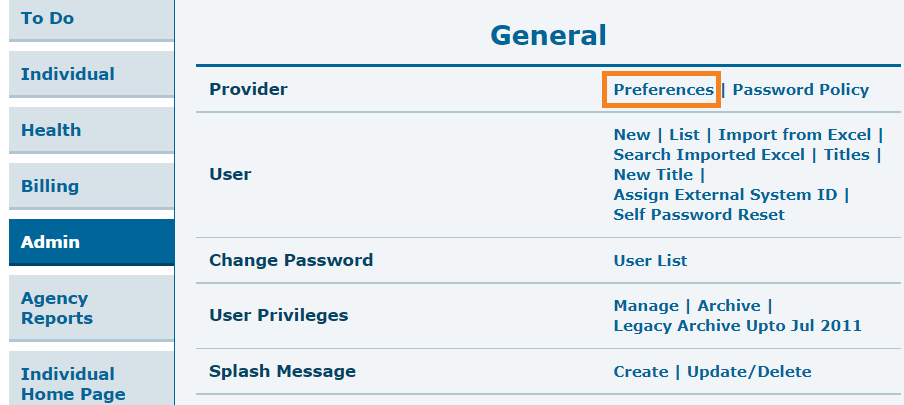
The Provider Preference page will be displayed.
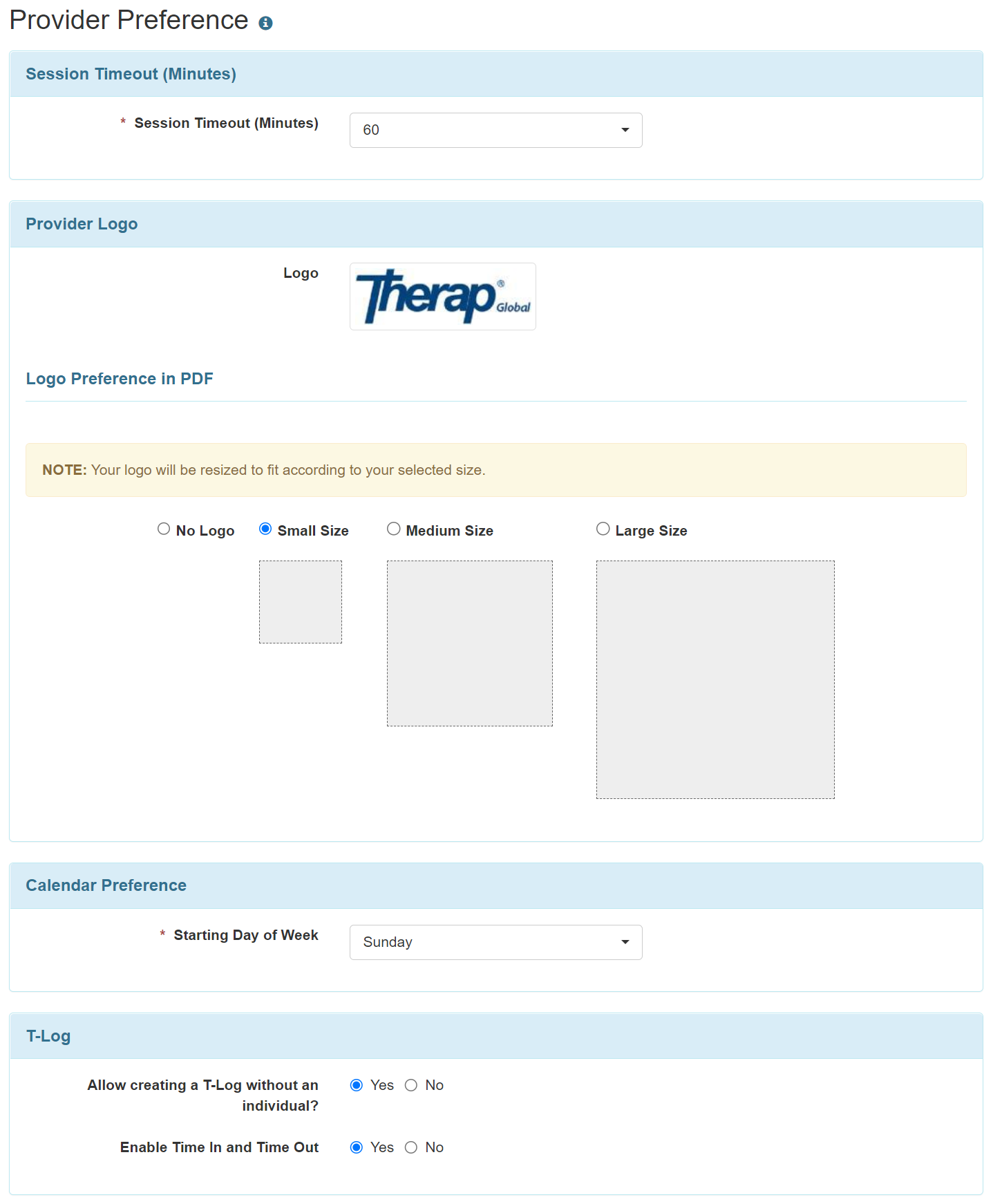
2. In the ‘T-Log’ section on the ‘Provider Preference’ page, select Yes option for the Allow creating a T-Log without an individual? field if you want to allow creating T-Logs without individuals.
You may also select Yes option for the Enable Time In and Time Out field if you want the Time In and the Time Out fields to appear on T-Logs.

3. Scroll down to the bottom of the page and click on the Save button.

Assign T-Log Program Access role from User Privileges>Manage
1. Click on the Manage link next to the User Privileges option in the Admin tab.
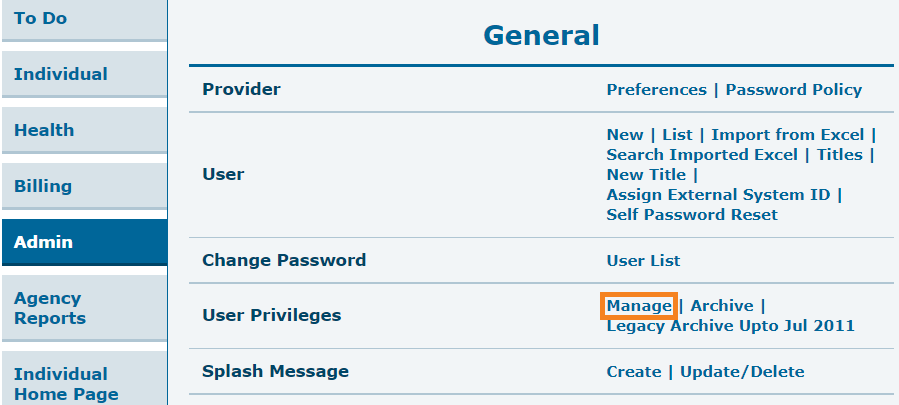
2. Select the appropriate user from the User List page.
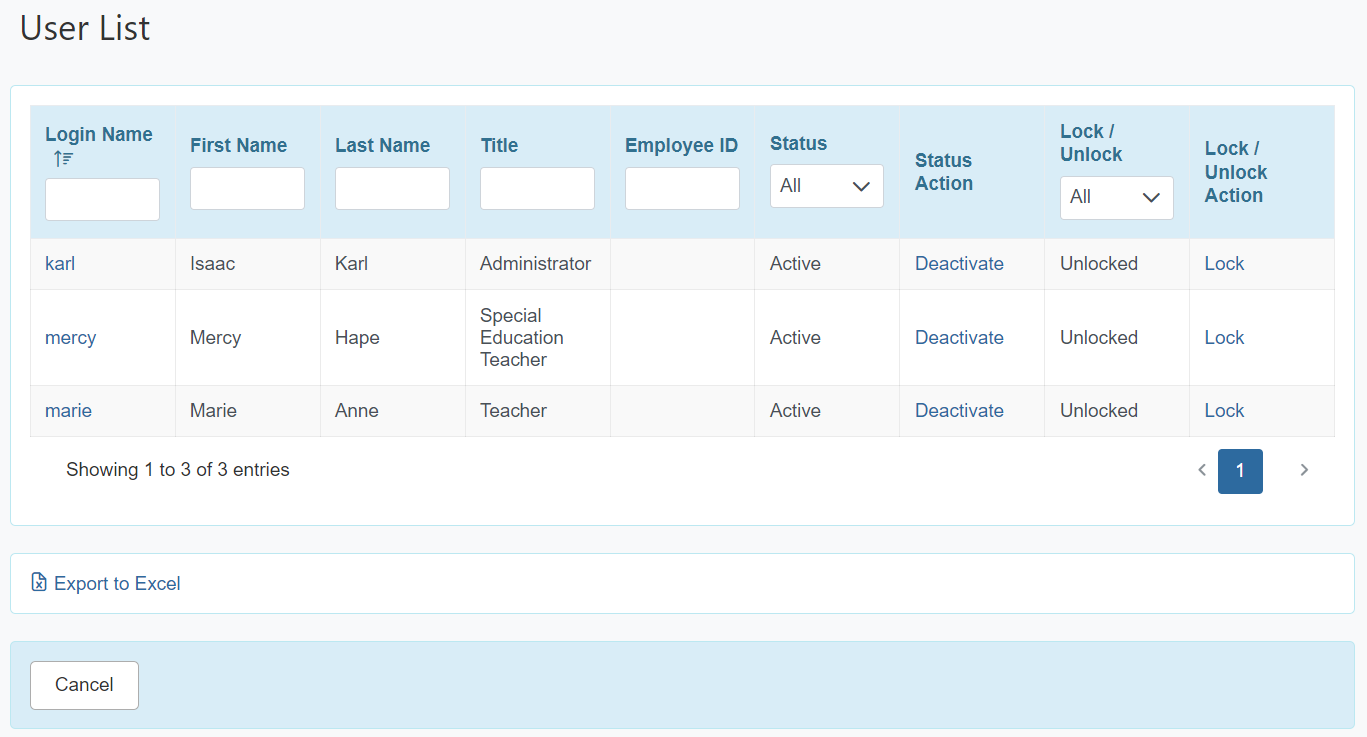
Click on the Login Name of the user. This will open the User Privilege page.
3. From the Agency Wide and Administrative Roles section select the T-Log Program Access option.
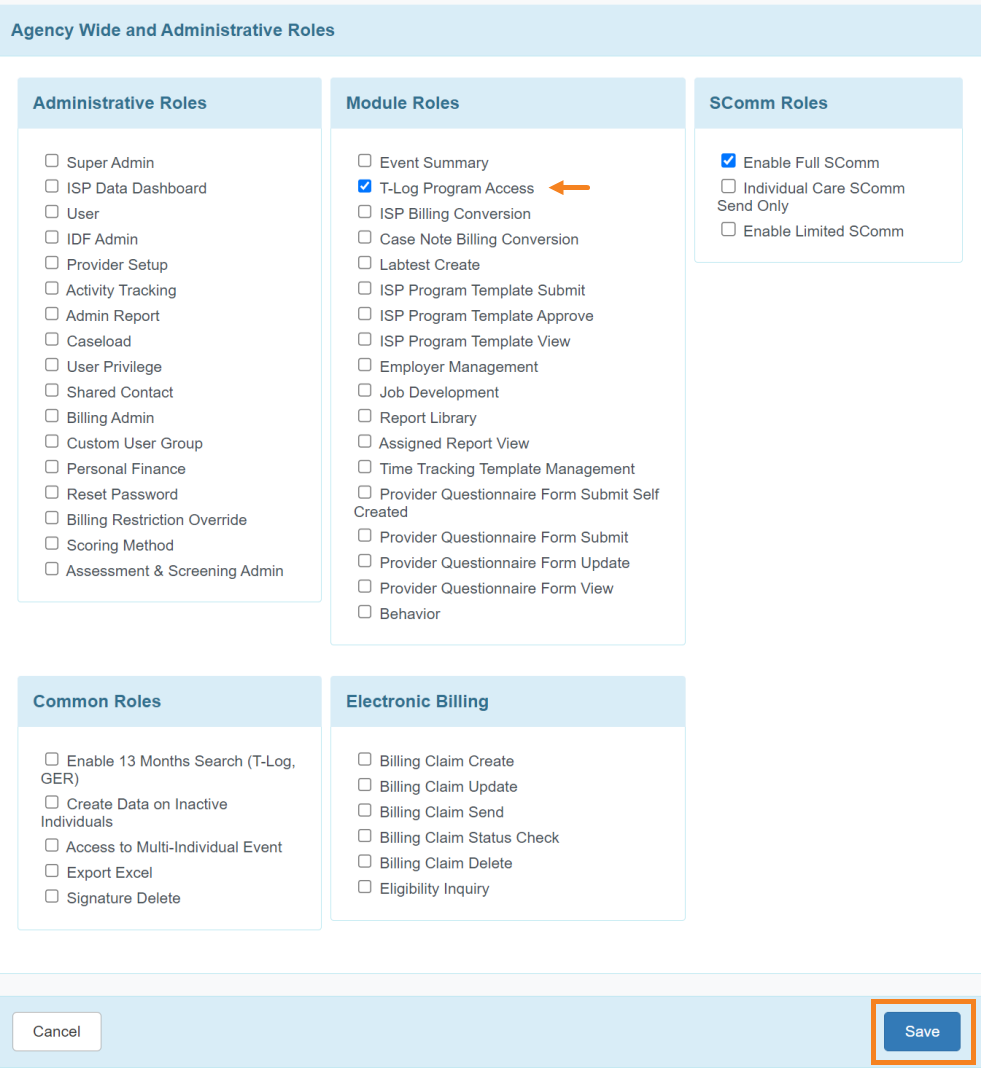
Click on the Save button at the bottom of the User Privilege page to save the changes.
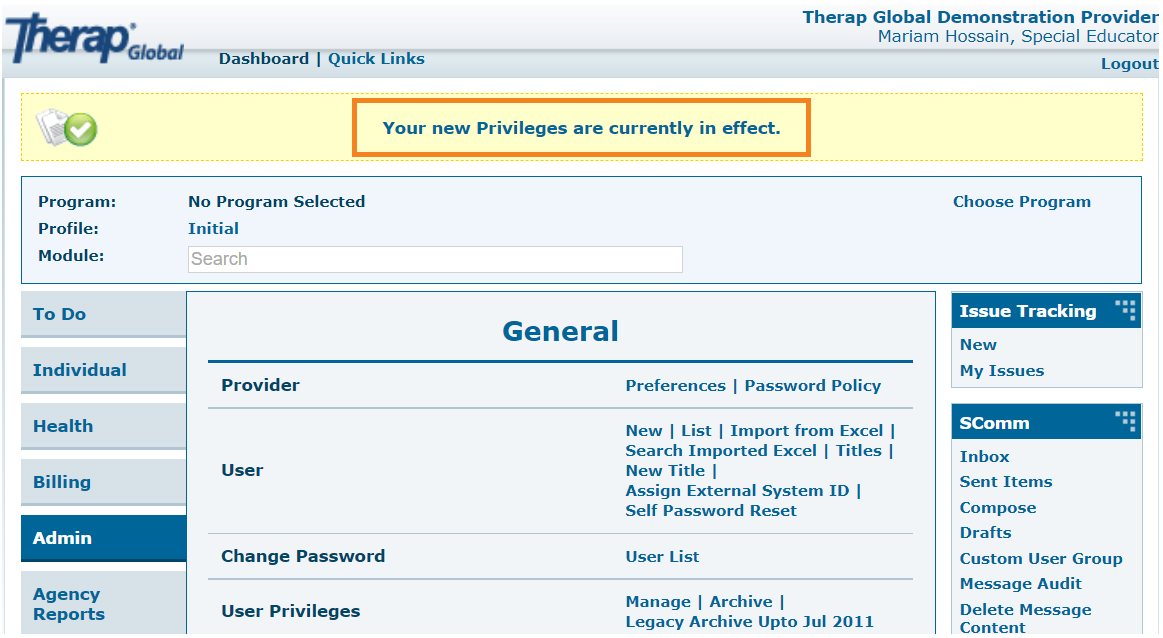
If all information has been updated accordingly this message Your new Privileges are currently in effect will be displayed on the top of the Dashboard page.